
HOTCOIN Logo
Buy Crypto
Markets
Trade
Futures
Finance
Rewards
More
Web3 Wallet
Customer Support

service@hotcoinex.io

Product Feedback

Product@hotcoin.com

Business Inquiries

Business@hotcoin.com

Law Enforcement

Casecn@hotcoin.com

Contact us
Customer Support

service@hotcoinex.io

Product Feedback

Product@hotcoin.com

Business Inquiries

Business@hotcoin.com

Law Enforcement

Casecn@hotcoin.com

About
About Us
Announcements
Hotcoin Academy
Hotcoin Blog
System Status
User Agreement
Privacy Policy
Legal Notice
Products
Futures
Spot
TradFi Trading
Copy Trading
Margin Trading
Earn
P2P Trading
Buy Crypto with Card
Web3 Wallet
Services
Hotcoin Live
Hotcoin Elite Picks
Rewards Hub
Referral Program
VIP Program
Download
P2P Merchant Program
Support
Help Center
API Docs
Fees
Listing Application
Live Chat
Feedback & Suggestions
Hotcoin Verify 
Trade
Crypto Prices
BTC USDC
ETH USDC
BTC USDT
ETH USDT
PI USDT
SOL USDT
XRP USDT
©2017-2026
Help Center
/Friend Referral/
Friend Referral Tutorial (App)
Help Center
/Friend Referral/
Friend Referral Tutorial (App)

Friend Referral Tutorial (App)

Hotcoin
Share


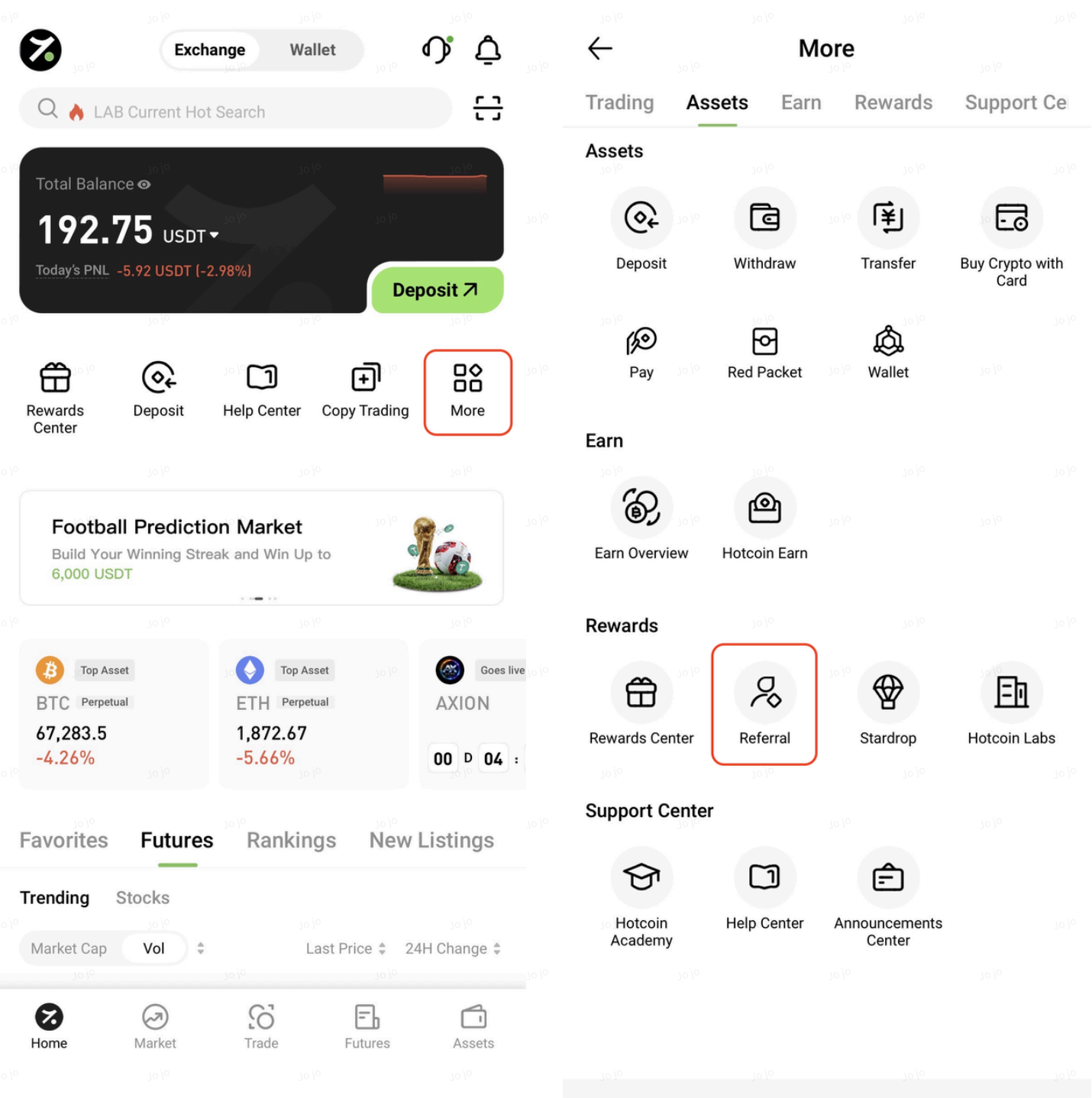
1. Access the Referral Page


Open the Hotcoin App, tap More on the homepage, and then select Referral Program to access the referral page.


2. Invite Friends


You can invite friends to create a Hotcoin account using any of the following methods:


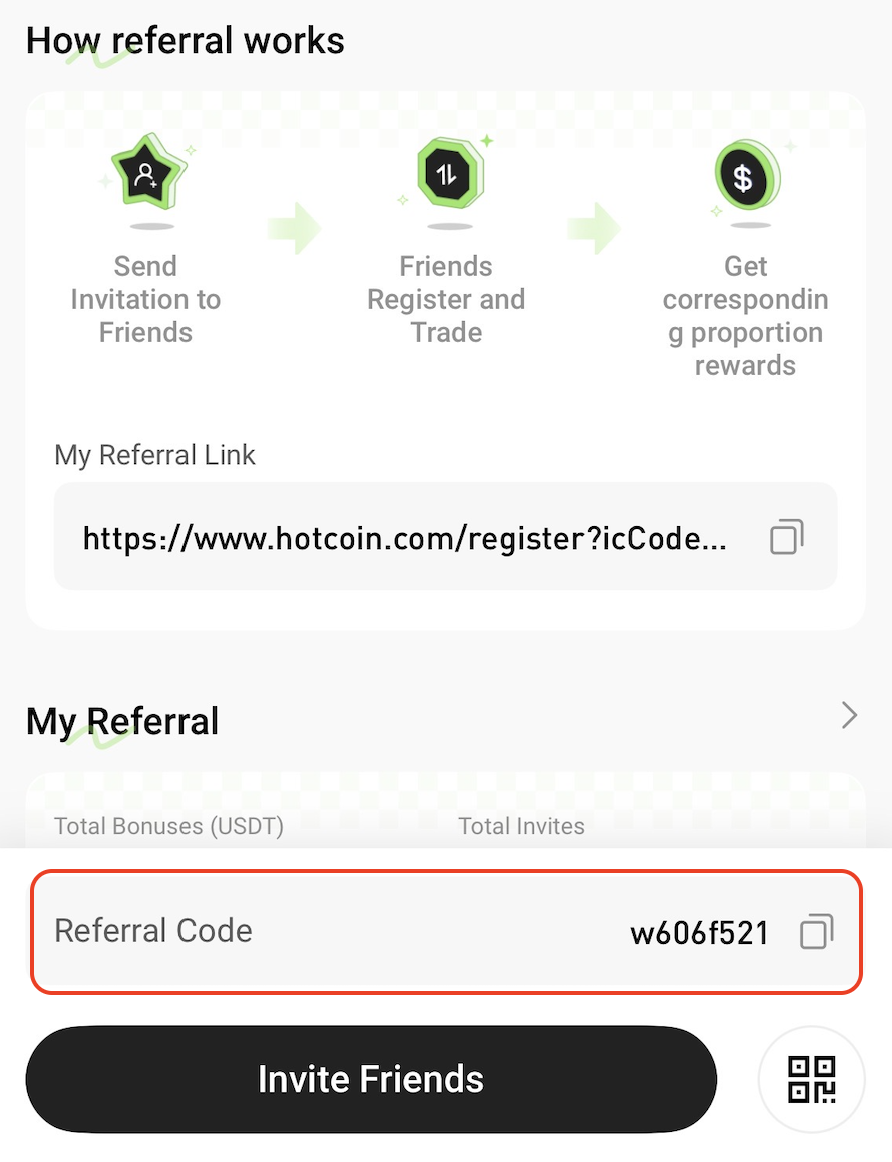
Method 1: Share Your Referral Code

Send your referral code directly to your friends. They can enter the referral code during registration to link their account to yours.


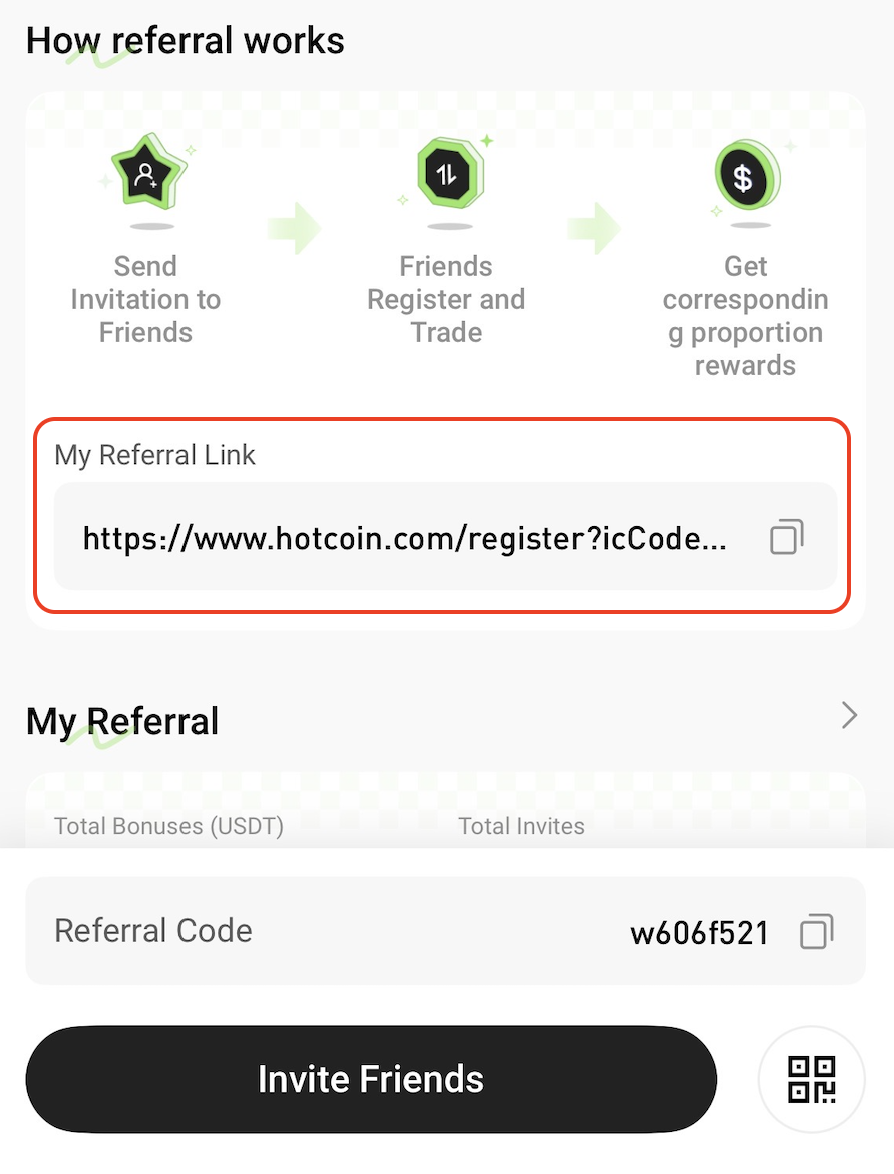
Method 2: Share Your Referral Link

Copy your referral link and send it to your friends. When they register through the link, your referral code will be filled in automatically.


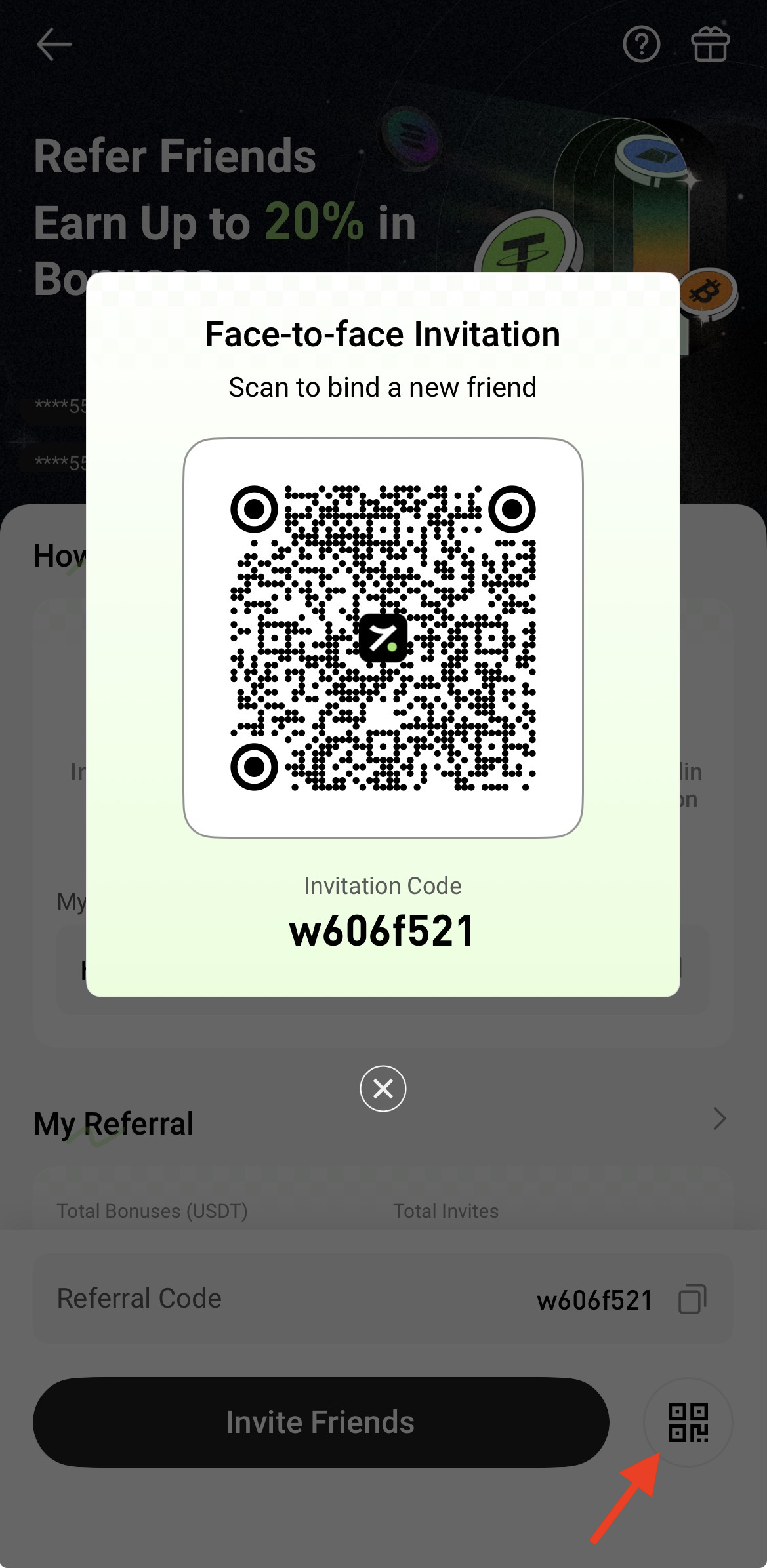
Method 3: Face-to-Face Invitation

Tap Face-to-Face Invitation to display your personal referral QR code.

Friends who scan the QR code using the Hotcoin App will be directed to the registration page with your referral code automatically applied. Users scanning the QR code with other QR code scanners will also be redirected to the registration page with the referral code automatically filled in.


Method 4: Generate a Promotional Poster

Tap Generate Poster to create a personalized referral poster that can be shared via channels such as WeChat and Moments.
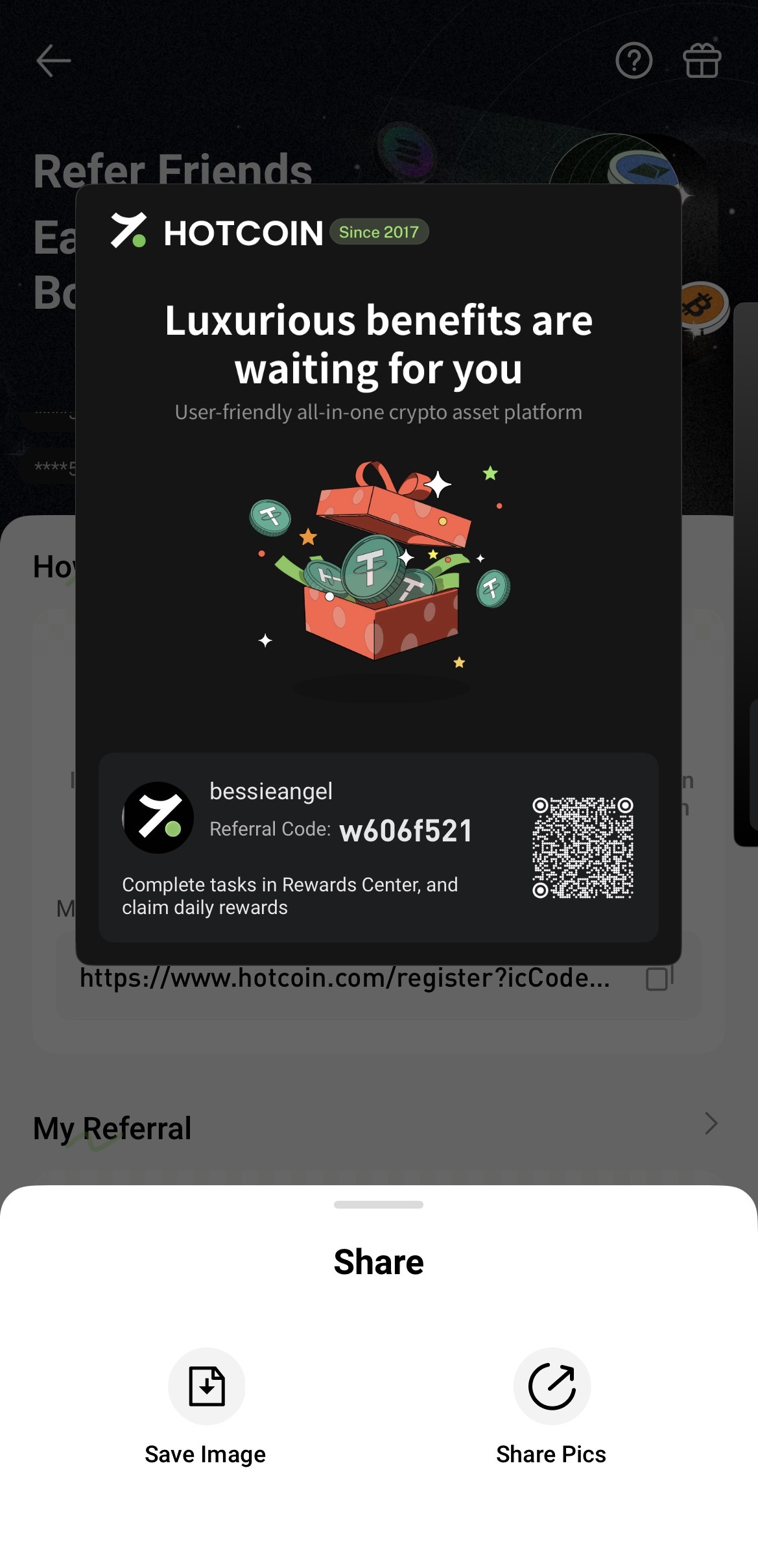


3. View Referral Records and Reward Details


Scroll down to the My Referrals section on the referral page to view:
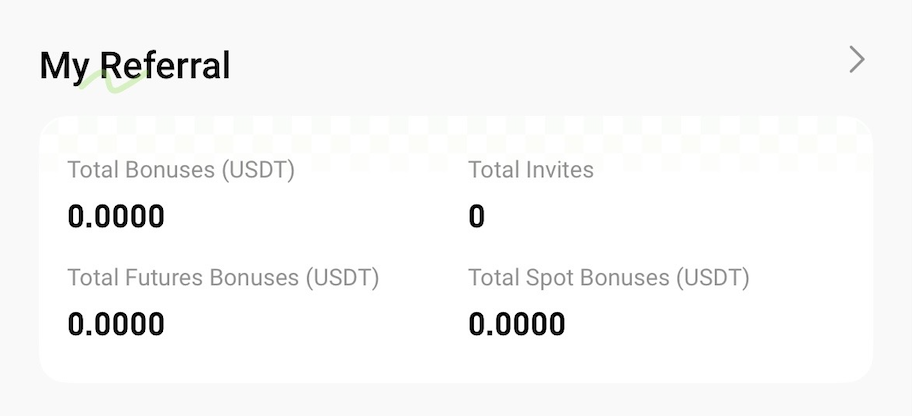
  • Total Referral Rewards
  • Total Invited Users
  • Futures Referral Rewards
  • Spot Referral Rewards


Tap the arrow on the right to view referral records and reward details.


Related Articles


What Is Friend Referral?

Friend Referral Tutorial (Web)

Friend Referral Rules

Quick Start Guide
Cryptocurrency Basics
Beginner’s Guide
App Guide
Start Trading
VIP Program
Rewards Center
Account Security & KYC
Asset Security
Security Settings
KYC Verification
Deposit & Withdrawal
Deposit
Withdrawal
P2P
P2P Trading Guide
P2P Merchant Management
P2P Rules & Agreements
Friend Referral
Spot Trading
Spot Trading Guide
Pre-market trading
Derivatives
Advanced Trading
Grid Trading
Trend Trading
Fundamentals of Technical Analysis (Candlesticks / MACD / RSI)
Prediction Market
Futures Grid
Futures Trading
Getting Started
Contract Type
Trading Mechanics
Risk Management
FAQ
Copy Trading
Getting Started
Follower Guide
Lead Trader Guide
Terms of Service
Web3 Wallet
Getting Started
Swap
Hotcoin Card
Hotcoin Earn
TradFi
Alpha
Startup
Platform Support
Agreements & Rules